

For vertical social video, a recent iPhone Pro is enough in the vast majority of cases: it films in ProRes from the iPhone 13 Pro, in Apple Log from the 15 Pro and, since the 17 Pro announced in September 2025, in ProRes RAW with Log 2 and genlock support. A dedicated camera is only justified on three precise criteria: low light with a moving subject, a long focal length on a product, synchronised multi-camera. The real trade-off in an iPhone or camera shoot for social is not image quality, it is cost per published video. According to the Apple Newsroom press release of 9 September 2025, the iPhone 17 Pro and iPhone 17 Pro Max are the first smartphones to support ProRes RAW, Log 2 and genlock.
iPhone or camera shoot for social: which should you choose in 2026?
The choice isn’t decided by the sensor; it’s decided by how many videos you manage to publish each month and by what’s left of your image after the TikTok, Instagram or YouTube encoder. A €4,000 camera body operated by a crew of three produces, on average, fewer usable shots per hour than an iPhone held by a creator who knows her lines. That’s counter-intuitive for anyone coming from TV production. Yet it’s what we find every time we compare our rushes logs.
The three criteria that tip a production towards the camera are always the same, and none of them is called “quality”:
- Available light is low and the subject moves: an evening bar, a workshop, a poorly lit gym.
- The product calls for a long focal length or macro: jewellery, a watch, cream texture, fine mechanics.
- You’re shooting synchronised multi-camera: a two-angle interview, live shopping, a round table.
Outside these three cases, a camera improves almost nothing on the viewer’s screen and degrades everything else: set-up time, number of takes, delivery time, post-production cost. In 2024 we stopped bringing out the camera body for UGC shoots at creators’ homes, because the deliverables didn’t perform any better and arrived three days later.
A camera that sleeps between two shoots costs more than an iPhone that runs every Tuesday. Equipment isn’t paid for at purchase, it’s paid for per useful shot.
What can an iPhone really do in video today, and since when?
Since September 2025, the iPhone 17 Pro and 17 Pro Max are, according to Apple Newsroom, the first smartphones to support ProRes RAW, Apple Log 2 and genlock, that is, precise synchronisation of several cameras. Genlock goes through the Blackmagic Design Camera ProDock, and ProRes RAW is handled by Final Cut Camera and Blackmagic Camera, with open APIs for developers. Apple’s official spec sheet also mentions ACES support.
The iPhone 17 Pro records in 4K up to 120 fps, and in 1080p up to 240 fps in slow motion, according to Apple’s official spec sheet. iGeneration noted in September 2025 4K up to 120 fps in ProRes RAW with Apple Log 2, as well as open gate via Final Cut Camera 2. For social use, these figures aren’t much use: they’re useful for understanding that the “smartphone versus camera” debate as it still plays out on forums dates from different hardware.
| Generation | ProRes | Apple Log | RAW + Log 2 + genlock | Enough for which use |
|---|---|---|---|---|
| iPhone 12 and earlier | No | No | No | UGC in daylight, testimonial, unboxing |
| iPhone 13 Pro (2021) | Yes (HDR / SDR) | No | No | All organic social, 95% of creative ads |
| iPhone 14 Pro (2022) | Yes | No | No | Same, with a better night mode |
| iPhone 15–16 Pro (2023-2024) | Yes | Yes | No | Brand content to be graded, matching with a camera |
| iPhone 17 Pro and beyond (2025+) | Yes | Yes (Log 2) | Yes | Brand film, two-angle interview, live shopping |
How do you film in Log on an iPhone?
The route, as documented by Apple Support: Settings → Camera → Formats → Apple ProRes. The Apple Log format can be selected there from the iPhone 15 Pro, and Apple Log 2 on the iPhone 17 Pro. The Camera app then shows a ProRes indicator at the top of the screen. Two limits to know before promising a client Log: ProRes is not available in Cinematic mode, Time-lapse or Slo-mo, and in 4K it all but requires an external USB-C SSD, otherwise you’ll fill 256 GB in half a day.
A firm position: for pure social, filming in Log is a bad idea in eight cases out of ten. The standard profile, well exposed, gives a file you can edit straight away. Log adds a grading step that costs us 25 to 40 extra minutes per video, for a gain that’s invisible once the platform has re-encoded the video. Keep Log for what needs to match with a camera or live for several months as brand content.
How do I use my iPhone like a real shooting camera?
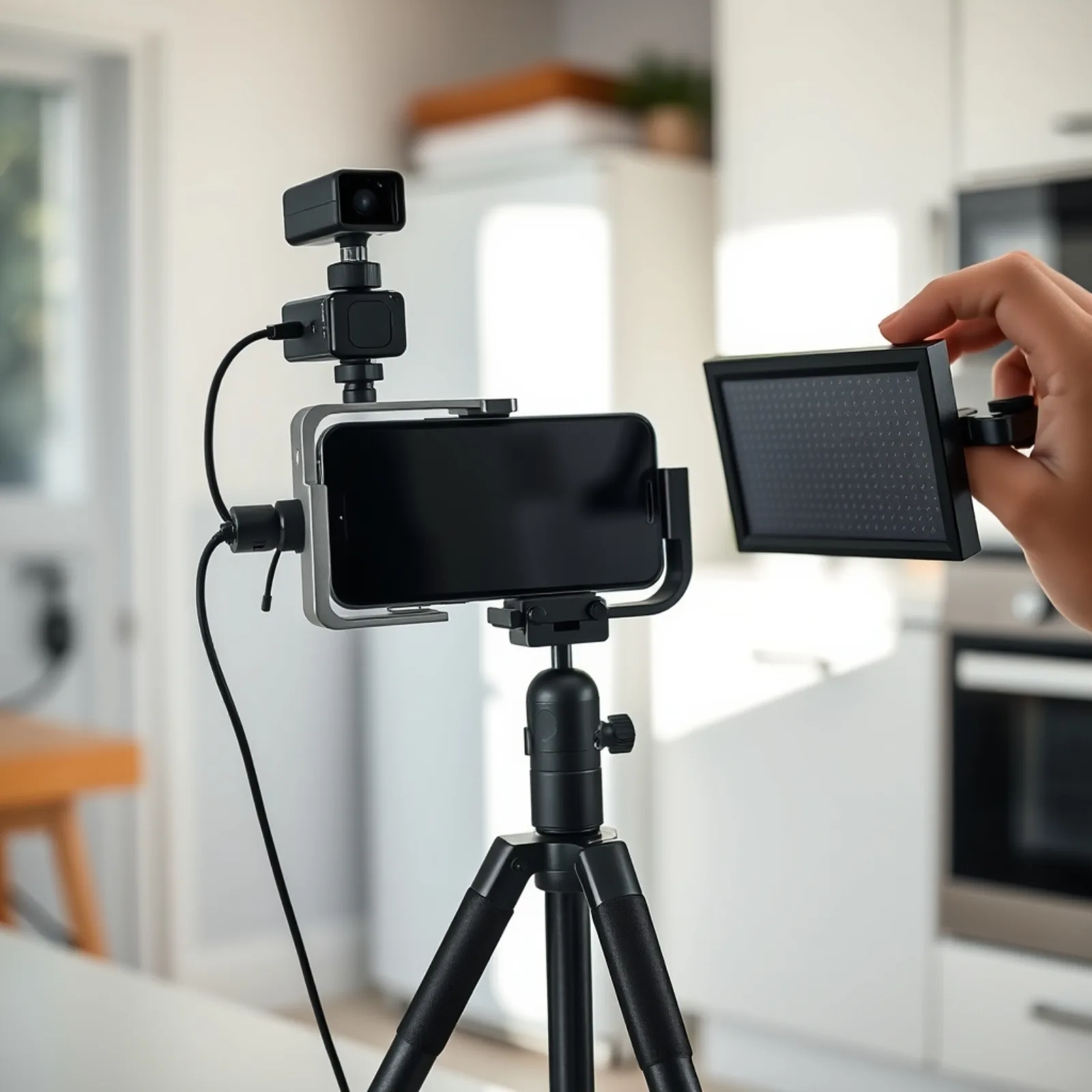
An iPhone becomes a shooting camera with four purchases and a locked settings protocol; budget €350 to €600 of accessories based on our public price checks in January 2026, excluding promotions. The phone isn’t in this budget: it’s already paid for by another line in the accounts, and that is precisely what skews every forum comparison.
- Dual-transmitter wireless mic, €90 to €220. By far the most cost-effective item in the kit. An average image with good sound gets through; the reverse is skipped in two seconds. Never drop it.
- Tripod + ball head, €35 to €90. Essential as soon as a creator films alone at home. You can go down to €35 without regret.
- Battery-powered LED panel, €70 to €180. One is enough for social: facing the subject, slightly high, 1.20 m from the face. It’s the item that makes the most visible difference after compression.
- Cage or handle, €40 to €100. Comfortable grip, mounting points for the mic and the LED. What can be cut if the budget is tight: this one, first.
- 1 TB USB-C external SSD, €80 to €130. Only useful if you shoot 4K ProRes. On the standard profile, pointless.
Minimum viable budget: mic + tripod, around €130. Comfortable budget: the first four items, around €400. Beyond that, you’re buying operator comfort, not advertising performance.
The acceptance protocol we require before every shoot
Settings are locked before the first take, not in the edit. Our baseline for clean vertical: 1080×1920, 30 fps, 1/60 s shutter (the double-the-frame-rate rule), ISO capped at 800, settings drawn from our shoots. On top of that we add three house rules: lock exposure and focus on the face (long press on the screen), standard stabilisation rather than “action”, and switch off Dolby Vision HDR when the deliverable goes to an edit on a machine that doesn’t handle it cleanly.
Then, the 10-second test. The creator films ten seconds while speaking, at the exact shooting location, and sends it to us. We check four things: the face isn’t blown out, the background isn’t crushed black, the sound has no empty-room echo, and the framing leaves the lower area free for the platform’s subtitles. Three minutes of checking that save a day of reshoots. Locking the settings is part of the brief, just like the script: see the 4 locks of a useful brief.
How do you film your iPhone screen with sound?
Add “Screen Recording” in Settings → Control Centre, then long-press the record button to switch the microphone on. The app’s sound is captured by default; the microphone adds your voice on top. Turn on a Focus mode to silence notifications, and clear the status bar before you start. It’s the fastest method for an app demo, a purchase-journey tutorial or a social proof capture (comments, reviews, customer messages) to drop into an ad.
In which cases is a camera still truly indispensable?
Three situations, repeatedly observed on our sets, where the iPhone loses a head-to-head, and none of them involves full daylight.
Low light with a moving subject. A restaurant at 8pm, a coach moving about in a neon-lit room, a bar. The iPhone’s software processing smooths out noise, and that smoothing produces a painted look on moving faces. An APS-C or full-frame camera with an f/1.8 lens absorbs two to three more stops. A cheaper alternative to the camera: add light. In 70% of the cases we come across, a €120 LED panel solves the problem the €3,000 camera body was meant to solve.
Long focal length on a product. Jewellery, a watch, a perfume bottle, a texture. The iPhone offers a telephoto lens, but the rendering of tight shots stays flat: no real perspective compression, a calculated rather than optical background blur. On a vertical packshot for a product page or a catalogue ad, the difference shows even on a six-inch screen. It’s our only case where we systematically bring out a camera body and a 90 mm macro lens.
Synchronised multi-camera. A two-angle interview, live shopping, talk format. Since September 2025, genlock on the iPhone 17 Pro via the Blackmagic ProDock changes the game technically, but the cost of the dock and the logistics cancel out part of the gain. With two camera bodies and an audio recorder with timecode, sorting the rushes takes 40 minutes. With two unsynchronised iPhones, it takes two hours, and the editor hates you.
What we don’t know, and own up to: isolating the effect of equipment on media performance cleanly is almost impossible. The script, the face, the hook and the targeting weigh far more. When we test, we do it with a fixed protocol, same script, same actor, same budget, same window, and read the results with caution, following the 4-tier measurement protocol.
A dated example. September 2025, a food supplement brand, one 22-second script shot the same day with the same actress: an iPhone 15 Pro version in standard profile, and a hybrid camera version with a 35 mm lens and grading. Two thousand euros of media per version on Meta, seven days. Hook rate at 3 seconds: a gap of under two points, in favour of the iPhone version. CPA: 11% lower on the iPhone side. A single sample, no general statistical value, but enough to stop billing a client for a camera body on this type of format.
What really survives TikTok, Reels and Shorts compression?
Platforms re-encode all your videos, and that encoder destroys soft gradients, grain, dark flat areas and fast movement first, which is exactly what you pay dearly to produce with a camera. That is why a “less beautiful” but sharp, contrasty and bright shot regularly beats a cinema shot in real viewing conditions.
The four kinds of damage we see on just about every client account:
- Banding on gradient backgrounds. A beige wall lit in a gradient becomes a series of bands. A textured or slightly busy background hides the problem.
- Crushed blacks. A poorly graded Log image, or one deliberately dark and “cinematic”, comes out as a big black blotch on a phone held 40 cm away on the metro.
- Grain turning to mush. Film grain is random noise: the encoder fights it, spends its data budget on it and degrades the rest of the image.
- Fast movement. Whip pan transitions, confetti, smoke, rain. Three seconds of macroblocks at the worst possible moment.
The practical consequence for export: a clean, well-contrasted 1080×1920 with a controlled bitrate holds up better than a heavy 4K that the platform will downgrade anyway. This finding matches a survey published in 2026 by blog.mean.ceo, according to which most business video is still delivered in 1080p, a resolution that any mid-range smartphone of the past five years records with no difficulty. We export in 4K only when the client archives their masters or plans to reframe in post.
The other place where compression hurts is the very start of the video. The first frames often arrive before the bitrate has stabilised: a dark or highly detailed opening shot appears blurry for half a second, and you’ve lost part of your audience before the first word. Open on a bright shot, a sharp face, strong contrast: the perceived quality of the first 3 seconds counts for more than resolution. And for the frame itself, the ratio is chosen by placement, not by camera.
What does each option really cost, per published video?
The tipping point sits around 12 to 15 videos a month shot in-house: below that, a camera never pays for itself; above it, it’s human time, not equipment, that becomes the decisive item. The costs below include only what is attributable to the shooting choice, not media, not script time, not a creator’s fee. The ranges come from our public price checks of January 2026 and our production sheets of the past twelve months.
| Decision criterion | iPhone Pro (social kit) | Hybrid / compact cinema camera | What really decides it |
|---|---|---|---|
| Entry budget for the complete system | €350 to €600 (phone already owned) | €2,500 to €6,000 to buy; €250 to €450/day to rent in France | The iPhone is written off against another budget |
| Equipment cost per video at 4 videos/month | 8 à 12 € | 40 à 90 € | At low volume, a camera body never pays for itself |
| Equipment cost per video at 20 videos/month | 2 à 3 € | 10 à 18 € | The equipment gap becomes marginal next to human time |
| Set-up on location | 5 to 10 min | 30 to 50 min | Every half hour of set-up = 2 to 3 shots lost |
| Useful shots per hour (our 2025 shoots) | 8 à 12 | 5 à 7 | Creative throughput, not resolution |
| Post time per video | 25 to 40 min (standard profile) | 50 to 80 min (Log to be graded) | This is where the camera costs the most |
| Low light | Clean up to ISO 800, smoothing beyond | 2 to 3 extra stops of headroom | Can you add light? If so, iPhone |
| Long focal length and product macro | Flat tight shots, calculated blur | 50 to 105 mm, real optical blur | Jewellery, watch, texture: camera |
| Sound: chain and complexity | Wireless mic plugged in directly, 1 step | Recorder, timecode, sync in post | Beyond 2 sources, the camera regains the advantage |
| Synchronised multi-camera | Genlock since the 17 Pro, via a dedicated dock | Native and proven | Interview, live shopping, talk format |
| UGC creator filming alone at home | Works without training | Out of reach in 9 cases out of 10 | The equipment has to be the creator’s own |
| Look as perceived by the audience | Read as content | Often read as an ad | Depending on the objective, an asset or a handicap |
This table only makes sense when tied to your monthly volume: cost per creative falls as volume rises, see the grid and the tipping point. And buying a camera already means starting to bring your production in-house, with everything that implies in coordination time: the real in-housing threshold sits around 15 videos a month.
A detail that escapes most calculations: renting. At 3 or 4 shoots a year on demanding formats, renting a camera body and a lens at €300 a day costs less than tying up €4,000 in a cupboard, and you always rent recent equipment. We have worked this way for product macro since 2023.
Which iPhone should you choose for filming, and do you really need the latest model?
The best iPhone for video is the 17 Pro Max, but it’s almost never the one you need: for social content, an n-2 or n-3 model does the job, and its less polished look often goes down better in UGC. It’s the advice nobody gives, because it sells nothing.
A simple usage grid:
- UGC, testimonials, product demos, voice-over to camera: iPhone 13 Pro to 15 Pro, i.e. €300 to €650 refurbished according to our January 2026 price checks. Nothing in a 17 Pro will improve these formats. According to Insee’s 2024 ICT households survey, 12% of smartphone owners got their latest device refurbished and 10% second-hand.
- High-volume creative ads with an in-house studio: 15 Pro or 16 Pro. Apple Log available if needed, decent battery life, mature accessory ecosystem.
- Brand content, matching with a camera, multi-angle interview: 17 Pro, for ProRes RAW, Log 2, genlock and open gate via Final Cut Camera 2.
The “too beautiful” effect is real and measurable by eye: a perfectly clean image, with pronounced background blur and graded colours, says “advertising” within the first second of scrolling. On the e-commerce accounts we manage, creatives shot by creators themselves, on their own phone, in their own kitchen, last on average longer before fatigue than studio versions of the same angle. Not because they’re better. Because they look like the rest of the feed. According to Médiamétrie’s L’Année Internet 2025, 15-24 year-olds spend 61% of their browsing time on social networks and messaging, and 11-14 year-olds 63%.
One last point on storage: if you shoot in ProRes, take 512 GB minimum. We lost half a day in March 2025 on a shoot in a shop because the client’s 128 GB phone filled up after forty minutes of rushes. According to the Apple Support page on ProRes on iPhone, ProRes files are up to 30 times larger than HEVC files.
Where should you start if you have to decide this week?
Ask yourself a single question before looking at a sensor comparison: how many videos do you need to publish next month, and who is going to shoot them? The answer alone decides the equipment in eight cases out of ten. Four videos a month shot by a creator at home: iPhone, wireless mic, one LED panel, locked settings, full stop. Twenty-five videos a month with an in-house studio and a full-time editor: the camera question becomes legitimate, and it’s then post time that you need to cost before buying.
What strikes us, after several years of iPhone or camera shoots for social, is the imbalance of attention. Brands spend weeks comparing spec sheets and thirty minutes writing the script. The performance gap between two creatives shot with the same phone, by the same person, on two different angles, goes far beyond the gap between an iPhone and a €5,000 camera body. Equipment is the least powerful lever in your production chain. It’s just the easiest to buy.
Frequently asked questions
- How do I use my iPhone as a camera?
- Add a wireless mic, a tripod and a small LED panel (€130 to €400 according to January 2026 price checks), then lock the settings before the first take: 1080×1920, 30 fps, 1/60 s shutter, ISO capped at 800, exposure and focus locked on the face. Always run a 10-second test at the actual location before shooting.
- Which iPhone has the best camera?
- The iPhone 17 Pro Max, announced in September 2025: the first smartphone to support ProRes RAW, Apple Log 2 and genlock according to Apple Newsroom. For social content, it isn’t the most relevant. A refurbished 13 Pro to 15 Pro covers UGC, testimonials and product demos with no visible loss after compression.
- How do you film your iPhone screen with sound?
- Turn on “Screen Recording” in Settings → Control Centre, then long-press the button to switch the microphone on. The app’s sound is captured by default, the microphone adds your voice. Switch to a Focus mode to block notifications. An ideal method for app demos, purchase-journey tutorials and captures of customer reviews.
- How do you film in Log on an iPhone?
- Go to Settings → Camera → Formats → Apple ProRes; on the iPhone 17 Pro and 18 Pro, the Log format becomes selectable (Apple documentation, updated 2026). ProRes is not available in Cinematic mode, Time-lapse or Slo-mo. In 4K, plan for an external SSD. For pure social, the standard profile remains more cost-effective.
- Do you need to film in 4K for TikTok?
- No, unless you archive masters or plan to reframe in post. Platforms re-encode everything, and a clean, contrasty 1080×1920 often holds up better than a heavy 4K. According to a survey published in 2026 by blog.mean.ceo, most business video is still delivered in 1080p, a resolution any recent smartphone records.
- Do you need a gimbal for UGC?
- Rarely. A gimbal produces a gliding movement that signals professional production, exactly what UGC tries to avoid. A €35 tripod and a steady hand cover 90% of needs. Keep the gimbal for outdoor tracking shots, walking sequences and brand content where movement is part of the intent.
Let’s talk creative throughput, not spec sheets
You’re torn between buying a camera and equipping your creators: the real question remains the number of videos published each month. Esekai is a vertical video studio, creative ads, UGC and organic content for TikTok, Reels and Shorts, with a dedicated Creative Strategist, in-house shooting and editing, and fast iterations. Thirty minutes on the phone: formats, budget, action plan. No agency pitch deck.
Book a call →30 minutes to talk formats, budget and action plan.